Android · Portainer · SSH · AI

Your infrastructure, in your pocket

STALMAS manages your Portainer and Linux SSH servers from your phone, with an AI assistant that can run directly on your device. No accounts and no servers in between.

Coming to Google PlaySee how it works

Sustain Tough Admin Loads:
Mobile, Automated, Secure
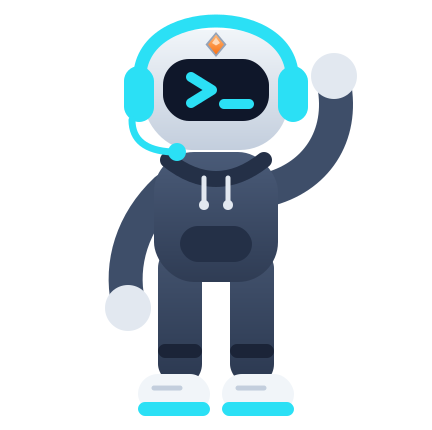
The STALMAS character: an engineer with a headset, an orange gem on the forehead, and a screen showing >_ instead of a face
Servers
PORTAINER1
main-homelab
https://192.0.2.10:9443
local
5Stacks17Containers14Running3Stopped
LINUX · SSH1
edge-node
ops@198.51.100.24:22
What it manages

Containers, servers, and an assistant, in one app.

Portainer

Your Docker environments, one tap away.

Containers, stacks, images, volumes, and networks (read-only)
Searchable logs, in-container console, and live stats
Deploy stacks from the editor, a template, or Git

Linux over SSH

A real terminal built for your thumb.

xterm-256color emulator with Esc, Tab, Ctrl, and arrow keys
Connect with a password or .pem / .key private key
Pinned server fingerprint with alert if it changes

AI Assistant

Diagnostic help, under your control.

Analyze logs and compose files in one tap
Local model on your phone, or Gemini with your own key
Shows what is sent: up to 100 filtered lines
How it works

Three steps and you are inside your server.

STEP 1

Connect

Add your server with an alias and URL. In Portainer choose username and password or API Key; in SSH, password or key.

STEP 2

Review

The dashboard summarizes health, resource usage, and what needs attention, with the reason behind every issue.

STEP 3

Act or ask

Restart, inspect logs, or open the console. If the cause is unclear, ask the assistant.

Read the quick start
Meet the assistant

Its face stays the same. Its gem tells you what it is doing.

The assistant always displays >_. What changes is the gem on its forehead and its animation, so you know at a glance whether it is thinking, working, or hit an error.
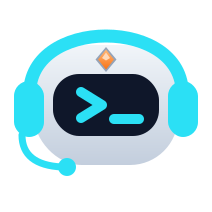
Assistant head in state: Idle
IdleWaiting. The full >_ face and the gem at rest.
Privacy by design

Your servers never pass through us. Check it yourself.

STALMAS has no accounts and no backend server. Toggle the optional features and see what leaves your phone in each case.

Your serversPortainer · SSHdirectYour phoneencrypted locallyLocal AI · nothing leavesAI: request to GeminiGoogle Driveencrypted backup · yoursGoogle Drivenot connectedGeminiwith your own keyGemininot used
Encrypted backup
Only when you ask for it. Encrypted with your password inside a hidden folder in your Drive.
AI Assistant
LEAVES YOUR PHONE NOW
The direct connection to your servers
Nothing else. Everything else stays here.
View full data table
DataWhere it livesLeaves your phone?Who receives it
Servers and credentials (URL, username, password, API Key, SSH keys)Your phone, in an encrypted SQLCipher database and encrypted preferencesNo (connects directly to your servers)No one outside your servers
Usage history, activity, and alerts (Pro)Your phone, encryptedNoNo one
Backup (optional, Pro)Hidden app folder in your Google Drive, encrypted with AES-256Only if you enable itGoogle, in your own account
Cloud AI chats (optional)Sent to the Gemini API using your own key (private data redacted)Only when using GeminiGoogle
Public model catalog (models.json)Anonymous fetch from stalmas.app with no user identifiersGET request only, no user dataCloudflare Pages (stalmas.app)
Local AI models (optional, Pro)Downloaded to your phone from Hugging FaceDownload only; your data never leavesHugging Face
Pro purchase, tips & integrityHandled by Google Play (Billing & Integrity)Yes, via Google PlayGoogle
Voluntary support & reports (support@ and report@stalmas.app)Reviewable draft in your email app with sensitive data redactedOnly if you choose to send itThe developer
Read the privacy policy
Free & Pro

Start free. Upgrade to Pro when the app feels yours.

Switch plans to see what unlocks. Everything you use in Free stays yours.

Servers: 3 in total (Portainer or SSH)
One-time payment of $14.99 USD (price varies by country on Google Play) · no subscription

Available features depend on your device's hardware (Android 12+, 64-bit CPU and 6/8 GB RAM for local AI; Google Play Services for Drive backup).

View full Free vs Pro table →
Portainer and SSH serversUp to 3 in total in Free, split however you like; unlimited in Pro.
Dashboard, containers, stacks, logs, console & Summary widgetHealth, live stats, summary diagnosis, update to latest image, bulk actions, read-only networks, images, volumes, deploying from editor/template/Git, and Summary widget.
PIN & biometric lockProtect the app with a PIN and fingerprint unlock.
Full SSH terminalxterm-256color emulator with Esc, Tab, Ctrl, last 50 history commands, and 10 snippets.
Cloud AI assistant (BYOK)Chat with your own Gemini API key, redact-and-send Privacy Gatekeeper, dangerous command confirmation, and 4,000 characters of terminal context.
Local AI & advanced Privacy GatekeeperOn-device Gemma models (LiteRT-LM), Local-first mode, reversible IP/host pseudonyms (secrets are never restored), per-server notes, custom skills, 20-message cloud memory, and exportable search history.
PRO
AI assistant for stacks, logs & storageOne-tap compose analysis with editor injection, log failure explanations (up to 100 filtered lines), and safe cleanup review for unused images and volumes.
PRO
Background alerts & container widgetGeneral or per-container monitoring (“Notify me if it fails”) while the app is closed, plus a container widget with Restart button.
PRO
Custom dashboard & usage historyReorder, hide, and add cards (including All servers, AI diagnosis, Last 24 h, Activity, and Trend), presets, and 6 h / 24 h / 7 d CPU & RAM charts.
PRO
Pro terminalUp to 500 commands of history, unlimited snippets with variables, customizable key row with cursor pad, and 16,000 characters of AI context.
PRO
Encrypted backup, themes & optional tipsAES-256 Google Drive backup, OLED, Catppuccin, and STALMAS themes, plus optional tips in About (unlocks no features).
PRO
FREE

Included in Free

Portainer and SSH servers
Up to 3 in total in Free, split however you like; unlimited in Pro.
Dashboard, containers, stacks, logs, console & Summary widget
Health, live stats, summary diagnosis, update to latest image, bulk actions, read-only networks, images, volumes, deploying from editor/template/Git, and Summary widget.
PIN & biometric lock
Protect the app with a PIN and fingerprint unlock.
Full SSH terminal
xterm-256color emulator with Esc, Tab, Ctrl, last 50 history commands, and 10 snippets.
Cloud AI assistant (BYOK)
Chat with your own Gemini API key, redact-and-send Privacy Gatekeeper, dangerous command confirmation, and 4,000 characters of terminal context.
PRO

Unlocked in Pro

Local AI & advanced Privacy Gatekeeper
On-device Gemma models (LiteRT-LM), Local-first mode, reversible IP/host pseudonyms (secrets are never restored), per-server notes, custom skills, 20-message cloud memory, and exportable search history.
AI assistant for stacks, logs & storage
One-tap compose analysis with editor injection, log failure explanations (up to 100 filtered lines), and safe cleanup review for unused images and volumes.
Background alerts & container widget
General or per-container monitoring (“Notify me if it fails”) while the app is closed, plus a container widget with Restart button.
Custom dashboard & usage history
Reorder, hide, and add cards (including All servers, AI diagnosis, Last 24 h, Activity, and Trend), presets, and 6 h / 24 h / 7 d CPU & RAM charts.
Pro terminal
Up to 500 commands of history, unlimited snippets with variables, customizable key row with cursor pad, and 16,000 characters of AI context.
Encrypted backup, themes & optional tips
AES-256 Google Drive backup, OLED, Catppuccin, and STALMAS themes, plus optional tips in About (unlocks no features).
FAQ

Common questions before installing

Do I need to create an account?

No. STALMAS has no accounts. You add your servers and the app stores them encrypted on your phone.

Where are my credentials stored?

Only on your device, inside an encrypted database and encrypted preferences. There is no copy on any server of ours.

Does it work offline?

The app connects directly to your servers, so it needs a route to them—such as your local network or a VPN. The local AI model works without internet.

Is STALMAS affiliated with Portainer or Docker?

No. It is an independent app by Peter Magno that uses Portainer's public API. Portainer and Docker are trademarks of their respective owners.

Is Pro a subscription?

No. Pro is a one-time payment on Google Play ($14.99 USD base; price varies by country in your local currency): it does not renew and there is nothing to cancel. Pro users may also leave an optional tip in About. If you reinstall the app with the same Google account, use "Restore purchases".

Built by someone who manages servers from the couch.

STALMAS is coming to Google Play. Meanwhile, the documentation is already available.